
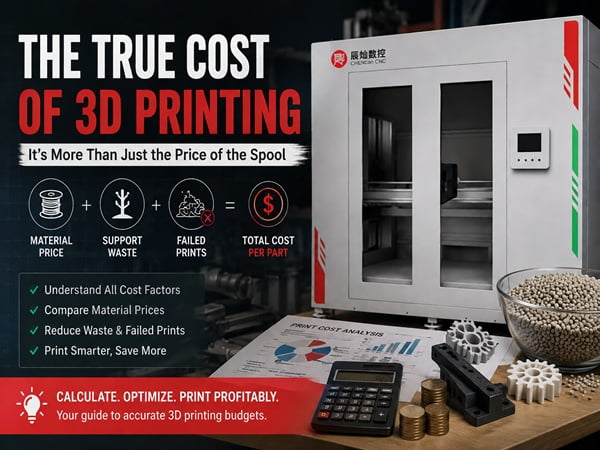
Struggling to predict your 3D printing expenses? You calculate the material, but the final bill is always higher. Let’s uncover the real costs and get your budget under control.
The true cost of 3D printer material isn't just the price on the spool. It includes the material used for the part, waste from supports and rafts, and most importantly, the cost of any failed prints. The total cost is what it takes to get one successful part.
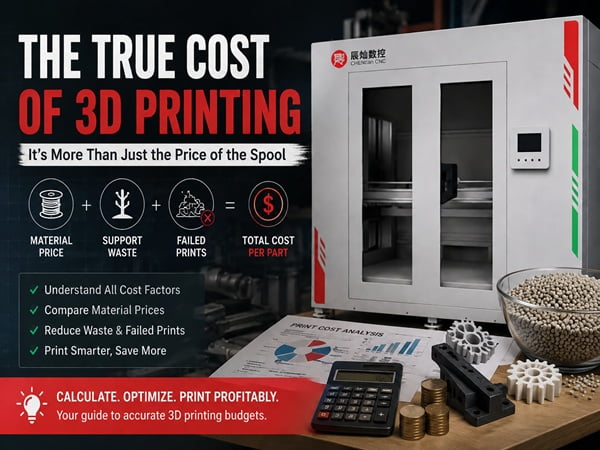
Understanding material cost seems simple at first. You buy a spool of filament, you print, and you're done. But as I've learned over many years and countless projects, the sticker price is just the beginning of the story. There are so many factors that can turn a seemingly cheap print into a costly mistake. Let's break down these costs together, step by step, so you can print smarter, not harder.
What Does “3D Printer Material Cost” Actually Include?
You see the price for a kilogram of filament. But when the print is done, that number doesn't seem to match your real expense. Let's look at what you're really paying for.
Your total material cost includes the direct price of the filament or resin, plus indirect costs. These include waste material from supports, material used in failed prints, and even consumables used in post-processing. It's the total expense to get a finished part in your hand.
When we talk about cost, it's easy to focus only on the number on the invoice. I did this for years. I would buy a spool and think, "Okay, this project costs $25." But that's not the full picture. To truly understand the expense, we need to break it down into a few key areas. I think of it in terms of direct, indirect, and hidden costs. Each one plays a big role in your final budget.
| Cost Category | Examples | Description |
|---|---|---|
| Direct Costs | Material Price, Shipping, Taxes | These are the obvious expenses you pay upfront to get the material to your workshop. It's the easiest part to calculate. |
| Indirect Costs | Support Material, Rafts, Skirts | This is the material your printer uses that isn't part of the final model. It's necessary for a good print but is thrown away after. |
| Hidden Costs | Failed Prints, Operator Time, Clogs | This is the most painful category. A single large print that fails at 90% can waste more material and time than ten successful small prints combined. This is where reliability really pays off. |
What Are the Average 3D Printing Material Prices by Type?
You're ready to print, but the material options are overwhelming. With prices ranging from cheap to shocking, how do you choose? Let’s map out the typical costs for common materials.
Basic filaments like PLA and ABS are the most affordable1, typically costing $20-$30 per kilogram. Resins for SLA printers are next, around $40-$60 per liter2. Engineering materials like Nylon and PETG are more3, while industrial metal powders can cost hundreds of dollars per kilogram4.
The type of material you choose is the single biggest factor in your direct costs. A simple decorative model has very different needs than a functional engineering part, and the prices reflect that. In my experience, it's best to start with the application. What does this part need to do? Answering that question will guide you to the right material category. From there, you can balance performance with your budget.
Here is a quick reference table based on what we typically see in the market.
| Material | Average Price Range | Common Application | Key Feature |
|---|---|---|---|
| PLA | $20 - $35 / kg | Prototyping, hobbyist models | Easy to print, low cost |
| ABS | $20 - $40 / kg | Functional parts, enclosures | Higher temperature resistance, durable |
| PETG | $25 - $50 / kg | Mechanical parts, food-safe containers | Tougher than PLA, easier than ABS |
| Standard Resin | $40 - $60 / L | High-detail miniatures, visual prototypes | Excellent surface finish and detail |
| Nylon | $60 - $100 / kg | Gears, living hinges, durable parts | Excellent strength and flexibility |
| Metal Powder | $300 - $1000+ / kg | Aerospace, medical, high-end tooling | Extreme strength and performance |
It's also worth noting that for large-scale industrial printing, we at CHENcan CNC often use plastic pellets. These are far cheaper per kilogram than filament but require specialized industrial machines to process.
How Much Material Does a 3D Printer Really Use per Print?
You have a 1kg spool and a digital model. How do you know how much material that print will actually consume? Let’s remove the guesswork and find the exact answer before you print.
Your slicer software is the key5. Before you print, the software calculates the exact amount of material needed for the model and its supports. It will show you the weight in grams, which you can use to calculate the precise material cost for that specific job.
In the early days of 3D printing, we had to guess. We’d weigh the spool before and after a print to figure out the cost. It was a pain. Today, this process is completely automated and incredibly accurate. Your slicer software, the program that prepares your model for printing, does all the hard work for you. It's your best friend for managing costs.
The process is simple:
- Import your 3D model into the slicer (like Cura, PrusaSlicer, or Simplify3D).
- Select your print settings, such as layer height, infill percentage, and whether you need supports.
- Click the "Slice" button.
- Review the results. The software will give you a detailed report, including the estimated print time and, most importantly, the exact amount of filament required in both length (meters) and weight (grams).
For example, if your 1kg (1000g) spool of PLA cost you $25, and the slicer says your print will use 40 grams, the material cost is simple to calculate: (40g / 1000g) * $25 = $1.00. This makes quoting jobs and managing your budget incredibly easy.
Why Can Two Prints of the Same Model Cost Different Amounts?
You printed the same object yesterday and today. But today's print used more material and took longer. What happened? Let's explore how small changes create big cost differences.
The final cost is determined by your slicer settings. A print with 100% infill will use much more material than the same model with 15% infill. Similarly, adding extensive support structures can sometimes double the material usage6 and print time, dramatically increasing the cost.
This is a lesson every new engineer learns, often the hard way. I remember a junior designer on my team once quoted a project based on a "draft" quality print. When the client approved it and asked for a "high-quality" final version, the cost nearly tripled. He was shocked, but the reason was simple: the settings changed.
The two biggest drivers of cost for the same model are infill and supports. Infill is the internal structure of your print. A hollow model is cheap but weak. A solid model is strong but expensive.
Let's look at a quick comparison for the same small gear model:
| Setting | Print A (Draft Prototype) | Print B (Functional Part) |
|---|---|---|
| Infill | 15% | 80% |
| Supports | None needed | Yes, for overhangs |
| Material Used | 22 grams | 45 grams |
| Print Time | 1 hour | 2.5 hours |
| Relative Cost | 1x | ~2x |
As you can see, simply by changing the settings to make the part stronger and more accurate, we doubled the material cost and more than doubled the machine time. This is why you can't give a price for a print without knowing its final purpose and required settings.
What Hidden Material Costs Do Most Beginners Ignore?
You've calculated your material cost per gram and feel in control. But your filament seems to disappear faster than your math predicts. You're falling victim to hidden costs.
The single largest hidden cost in 3D printing is failure. A single print that fails at 90% completion wastes all the material and time invested up to that point. Other hidden costs include brittle filament that snaps, nozzle purges, and material used for calibration prints.
I can't stress this enough: chasing the cheapest material is often the most expensive strategy. I learned this on a critical project years ago. We tried to save about $5 per spool by using a new, low-cost supplier. Our normal failure rate was under 5%. With the cheap filament, it jumped to over 30%. The first large print that failed eight hours in completely wiped out any savings we had made for the entire month.
Reliability is a cost component. A successful print with a $30 spool is infinitely cheaper than a failed print with a $25 spool.
Here are the hidden costs that eat your budget:
- Failed Prints: The number one killer of your material budget.
- Material Spoilage: Filament left out in a humid environment can absorb moisture7, become brittle, and cause print failures or be completely unusable.
- Calibration and Tuning: The small test prints you do to dial in your settings add up over time.
- Purging and Skirts: The material used to prime the nozzle before a print begins is pure waste, but it's necessary for a good start.
- Operator Error: Setting the wrong temperature or forgetting to clean the build plate can lead to, you guessed it, a failed print.
When Does a Higher Material Cost Actually Save You Money?
You always reach for the cheapest PLA on the shelf. But your parts keep breaking or warping, forcing you to reprint them. Sometimes, paying more for material is the cheaper option.
Advanced materials save money when they prevent a more expensive problem. A $100 spool of engineering-grade filament is cheaper than five failed prints on $20 PLA. It's also cheaper than having a functional part break in the field, causing equipment downtime or product failure.
Thinking only about the cost per kilogram is a trap. The real question should be: "What is the cost per successful, functional part?" Once you frame it that way, the value of premium materials becomes clear.
For example, imagine you need to print a replacement gear for a machine on your factory floor.
- Option A: Print it with cheap PLA. Cost: $1 in material. The gear strips its teeth after 5 minutes of use. The machine is still down. Total cost: $1 + hours of lost production.
- Option B: Print it with a carbon-fiber-reinforced Nylon. Cost: $8 in material. The gear is incredibly strong and works perfectly, getting the machine back online in an hour.
In this scenario, the more expensive material was dramatically cheaper overall.
At CHENcan CNC, we work with clients in demanding industries like aerospace and automotive. They can't afford failures. We use advanced composite materials that are expensive per kilogram but produce parts that meet strict performance standards on the first try. This reliability avoids catastrophic failures and costly project delays, saving them far more money in the long run.
How Do Material Costs Differ Between Desktop and Industrial 3D Printers?
You know the material costs for your desktop printer. But what about the huge machines that build car parts or boat molds? The economics of materials are completely different at that scale.
Many industrial printers use expensive, proprietary cartridges to ensure reliability. However, large-format industrial systems, like our pellet-fed machines, can use raw plastic pellets. These pellets cost significantly less per kilogram than filament, offering massive savings for large-scale printing.
The world of 3D printing materials is split into a few different ecosystems, each with its own cost structure. Understanding them helps you see where the industry is going.
-
Desktop Open-Source: This is what most people are familiar with. You can buy filament from anyone. Prices are low due to competition ($20-$50/kg), but quality and reliability can vary wildly. You are responsible for making it work.
-
Industrial Cartridge-Based: Many high-end industrial printers use a "razor and blade" model. The printer is a closed system, and you must buy their proprietary material in special cartridges. The material can cost $100-$400/kg, but it's highly optimized for the machine, leading to an extremely high success rate and certified material properties. You're paying a premium for reliability and consistency.
-
Industrial Pellet-Fed: This is the future for large-scale manufacturing. These machines, like the large gantry systems we build at CHENcan CNC, skip the filament-making process entirely. They use the same raw plastic pellets that are used in injection molding. These pellets can cost as little as $2-$10/kg. For printing something the size of a car bumper or a boat hull, the cost savings are astronomical compared to using filament.
Is It Cheaper to Print In-House or Outsource in the Long Run?
You need a custom part. Should you buy a 3D printer and do it yourself, or just pay a service to print it for you? Let's analyze when it makes sense to invest.
Outsourcing is cheaper for a few one-off parts per year. Bringing printing in-house becomes far more cost-effective once you need to print regularly, iterate on designs quickly, or produce more than 15-20 parts annually. The breakeven point is often reached very quickly.
This is a classic "build vs. buy" decision. Outsourcing to a service bureau offers a low barrier to entry—no upfront investment. But you pay a significant premium on every single part. Buying your own machine is the opposite: a higher upfront cost, but a dramatically lower cost per part.
Let's run some simple numbers. Imagine you need a specific prototype part that would cost $5 in material to print yourself. An online service might charge you $75 for that same part, factoring in their machine time, labor, and profit.
| Number of Parts Printed | Outsourcing Cost (at $75/part) | In-House Cost ($1,000 Printer + $5/part) | The Cheaper Option |
|---|---|---|---|
| 1 | $75 | $1,005 | Outsource |
| 10 | $750 | $1,050 | Outsource |
| 15 | $1,125 | $1,075 | In-House |
| 50 | $3,750 | $1,250 | In-House |
As the table shows, the breakeven point happens around 15 parts. If you think you'll need more than that in a year or two, buying a printer is the smarter financial move. This calculation also ignores the huge value of speed. Getting a part in hours from your own printer versus days from a service can be priceless during product development.
How Can You Reduce 3D Printer Material Cost Without Sacrificing Quality?
You want to lower your printing expenses. But you can't afford to make weak or unreliable parts. Let's look at smart ways to cut costs without making compromises on performance.
The best ways to reduce cost are by optimizing slicer settings like infill, buying material in bulk, and properly storing filament to prevent waste. The most important strategy is investing in reliability to minimize expensive print failures, which are the biggest source of waste.
Saving money on 3D printing isn't about using cheap parts; it's about being efficient and eliminating waste. I've spent years refining my process to get the most out of every single spool. It comes down to a few key habits and strategies that anyone can adopt.
Here are my top recommendations for reducing material costs intelligently:
- Master Your Slicer: Don't just use default settings. Learn about features like "adaptive infill" which uses more material only where it's needed for strength. Use "tree supports" instead of normal supports, as they often use significantly less material and are easier to remove.
- Right Material for the Job: Don't use a $100/kg carbon fiber nylon for a simple decorative model. Use cheap and easy PLA. Match the material's properties and cost to the project's needs.
- Buy in Bulk (Wisely): If you use a lot of a specific material like black PLA, buying a 3kg or 5kg spool can lower your price per kilogram significantly.
- Store It Properly: Filament is often hygroscopic, meaning it absorbs moisture from the air. Wet filament prints poorly and can lead to failures. Store your spools in airtight containers with desiccant packs. A $20 dry box can save you hundreds in wasted filament.
- Prevent Failures Above All: Keep your printer maintained. Clean the build plate. Level the bed. A few minutes of prevention can save you from an 8-hour failed print. This is the single most effective cost-saving measure.
Is the Cost of 3D Printing Materials Worth It?
After seeing all the direct, indirect, and hidden costs, you might be asking yourself if it's all worth it. The answer depends on what you value most: money, or time and innovation.
Yes, the material cost is absolutely worth it when 3D printing solves a more expensive problem. The return on investment comes from accelerating product development, creating custom tools to improve efficiency, or producing a critical spare part to avoid costly downtime.
Focusing only on the cost of a spool of plastic misses the entire point of 3D printing. You aren't just buying material; you are buying speed, flexibility, and the ability to turn an idea into a physical object in hours. The true return on investment (ROI) is rarely measured in the cost of the plastic itself.
I remember a client, a small manufacturing company, who needed a custom holding jig for their assembly line. To have one machined from aluminum would cost them $1,500 and take three weeks. They were hesitant. Instead, we designed and printed a jig overnight using a tough engineering-grade composite. The material cost was about $60.
The ROI wasn't just the $1,440 they saved. It was the three weeks of improved production efficiency they gained. It was the ability to immediately print a modified version when a worker suggested an improvement. That is the real power, and it makes the material cost seem trivial in comparison. The cost is worth it when it lets you do things that were previously impossible, too slow, or too expensive.
Conclusion
Material cost is more than a price tag; it's a mix of direct expenses, waste, and failures. By understanding this, you can make smarter choices to reduce costs and maximize your return.
"What are the costs per meter of filament for PLA, ABS and PET?", https://3dprinting.stackexchange.com/questions/1449/what-are-the-costs-per-meter-of-filament-for-pla-abs-and-pet. PLA and ABS are widely recognized as cost-effective materials for 3D printing, with average prices ranging from $20 to $40 per kilogram. Evidence role: statistic; source type: encyclopedia. Supports: PLA and ABS are among the most affordable 3D printing materials.. Scope note: Prices may vary based on brand and regional availability. ↩
"Typical $/g price of resin? : r/resinprinting - Reddit", https://www.reddit.com/r/resinprinting/comments/14z1vxk/typical_g_price_of_resin/. SLA resins typically cost between $40 and $60 per liter, as reported in industry pricing guides. Evidence role: statistic; source type: research. Supports: SLA resins generally cost between $40 and $60 per liter.. Scope note: Prices can vary depending on resin type and supplier. ↩
"Petg Filament - Amazon.com", https://www.amazon.com/petg-filament/s?k=petg+filament. Engineering-grade materials such as Nylon and PETG are typically more expensive than basic filaments, with prices often exceeding $50 per kilogram. Evidence role: statistic; source type: research. Supports: Nylon and PETG are more expensive than basic filaments like PLA and ABS.. Scope note: Exact prices depend on the specific grade and supplier. ↩
"Metal Powder Costs in 3D Printing: Expert Guide to Pricing (2025)", https://www.makerverse.com/resources/3d-printing/metal-powder-costs-3d-printing/. Industrial metal powders for 3D printing often cost several hundred dollars per kilogram, reflecting their specialized applications and production methods. Evidence role: statistic; source type: research. Supports: Industrial metal powders are significantly more expensive than plastic filaments, often costing hundreds of dollars per kilogram.. Scope note: Prices can vary significantly based on the type of metal and its intended use. ↩
"Slicer (3D printing) - Wikipedia", https://en.wikipedia.org/wiki/Slicer_(3D_printing). Slicer software calculates material usage and print time, providing accurate estimates for 3D printing projects. Evidence role: mechanism; source type: education. Supports: Slicer software is essential for calculating material usage and costs in 3D printing.. Scope note: The accuracy of estimates may depend on the specific slicer software used. ↩
"What are supports in 3D printing? When and why do you need them?", https://www.hubs.com/knowledge-base/supports-3d-printing-technology-overview/. Support structures in 3D printing can significantly increase material usage, sometimes doubling the amount required for a print. Evidence role: mechanism; source type: research. Supports: Extensive support structures can double material usage in 3D printing.. Scope note: The extent of material increase depends on the model's geometry and support settings. ↩
"[PDF] impact of moisture absorption on 3d printing nylon filament", https://repositories.lib.utexas.edu/bitstreams/9e197366-3c07-474f-9597-88407a15f783/download. Filament exposed to humid environments can absorb moisture, leading to brittleness and print failures. Evidence role: mechanism; source type: research. Supports: Filament left in humid environments can absorb moisture, causing print issues.. Scope note: The rate of moisture absorption depends on the filament type and environmental conditions. ↩